
Planning a Halloween party? Before the costumes, candy, and decorations, there’s one important detail that sets the mood for your celebration: the invitation!
Forget ordinary party invitations. Imagine your guests receiving a beautiful digital Halloween invitation featuring an elegant black envelope, a festive pumpkin wax seal, and a magical opening experience that reveals your party details.

Our Editable Halloween Party Invitation Template brings that experience to life!
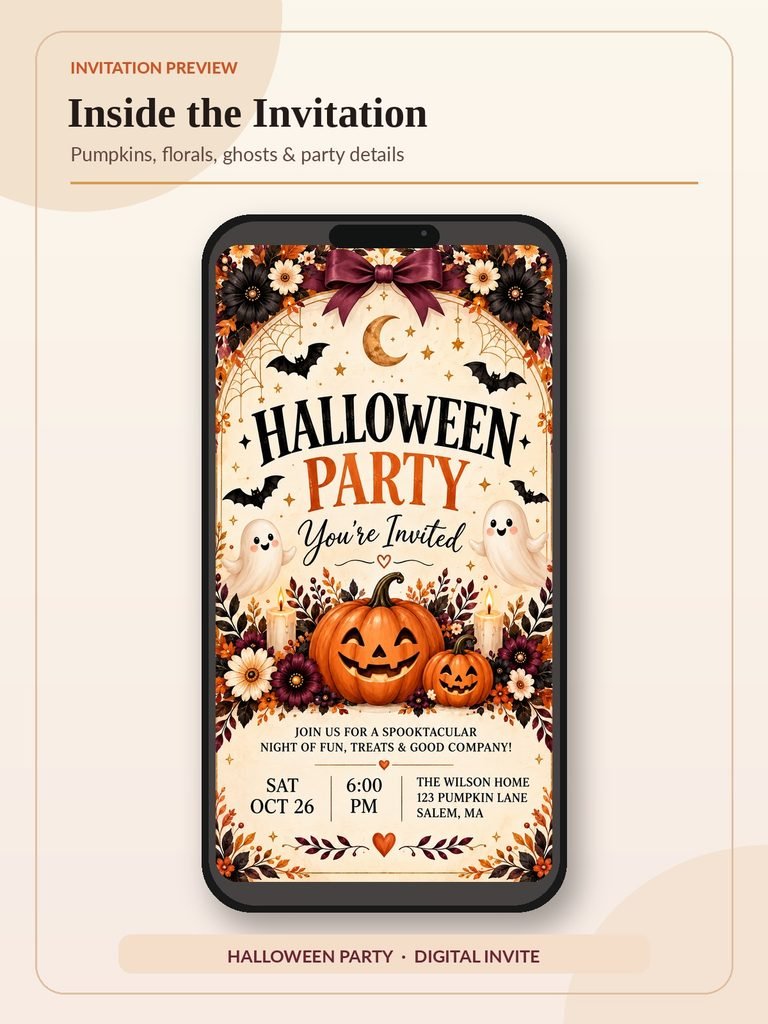
Designed with charming pumpkins, playful ghosts, autumn flowers, and warm seasonal colors, this interactive Canva invitation makes announcing your Halloween celebration both fun and memorable.
And the best part? You can personalize it yourself for just $5.99!
GET THE EDITABLE HALLOWEEN INVITATION – $5.99
Table of Contents
What Makes This Halloween Invitation Special?
Unlike a traditional printable Halloween invitation, this design is an interactive digital invitation website created in Canva.
Guests can open the invitation on their phones, enjoy the animated design, explore your party details, and click an RSVP button to respond.
Here’s what makes it stand out.
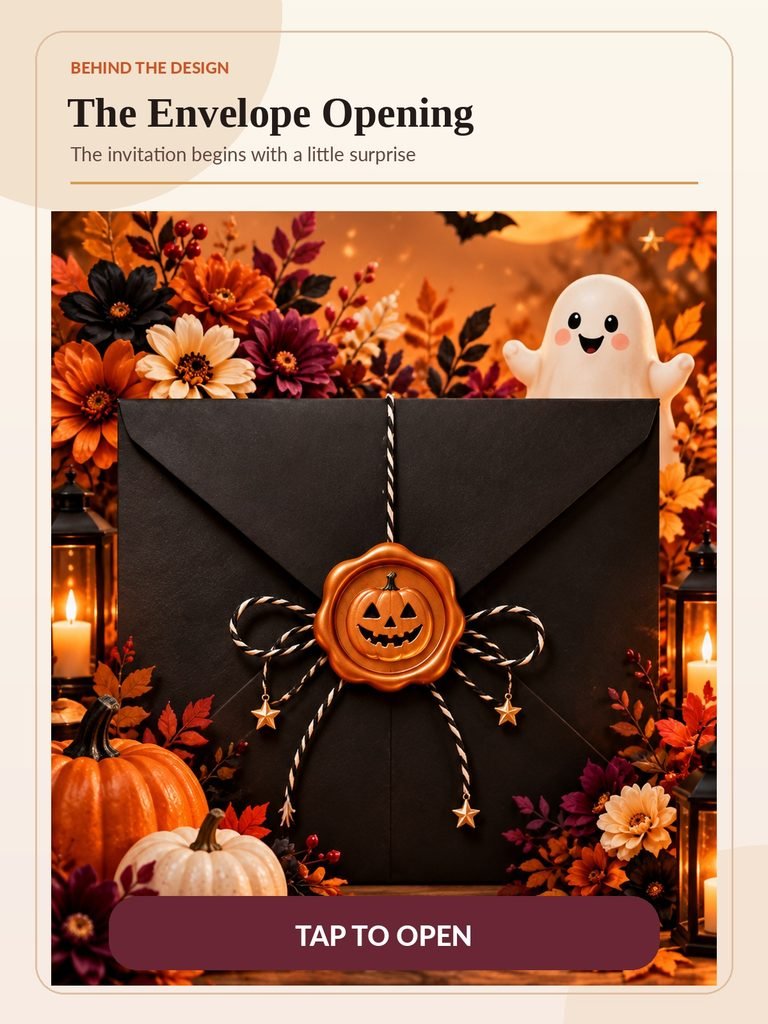
1. An Elegant Animated Halloween Envelope
The experience begins with a beautiful black envelope featuring an orange pumpkin wax seal, surrounded by rich autumn decorations.
The interactive design creates a delightful opening experience that makes your invitation feel more special than an ordinary image.
2. A Beautiful Spooky-Cute Design
The invitation combines traditional Halloween charm with elegant seasonal details.
You’ll find:
- Smiling pumpkins and adorable ghosts
- Bats, stars, and Halloween decorations
- Burgundy, orange, cream, and warm autumn colors
- Elegant seasonal flowers and decorative elements
- A festive design that looks beautiful on a smartphone
It’s a charming combination of spooky and sophisticated, making it suitable for Halloween parties with family, friends, and neighbors.
3. Personalized Halloween Party Details
Every Halloween celebration is different, and your invitation should reflect your special event.
With the Canva template, you can personalize essential information such as:
- Party date
- Start and end times
- Party location and address
- Dress code
- Additional party details
- RSVP button destination
Whether you’re planning a cozy Halloween gathering or a larger costume party, you can adapt the invitation to your event.
4. A Clickable RSVP Button
One of the most useful features is the interactive RSVP NOW button.
Instead of asking guests to reply through several different messages, you can connect the invitation to your own RSVP form.
For example, you can create a form using Google Forms and collect information such as each guest’s name, attendance confirmation, and number of guests.
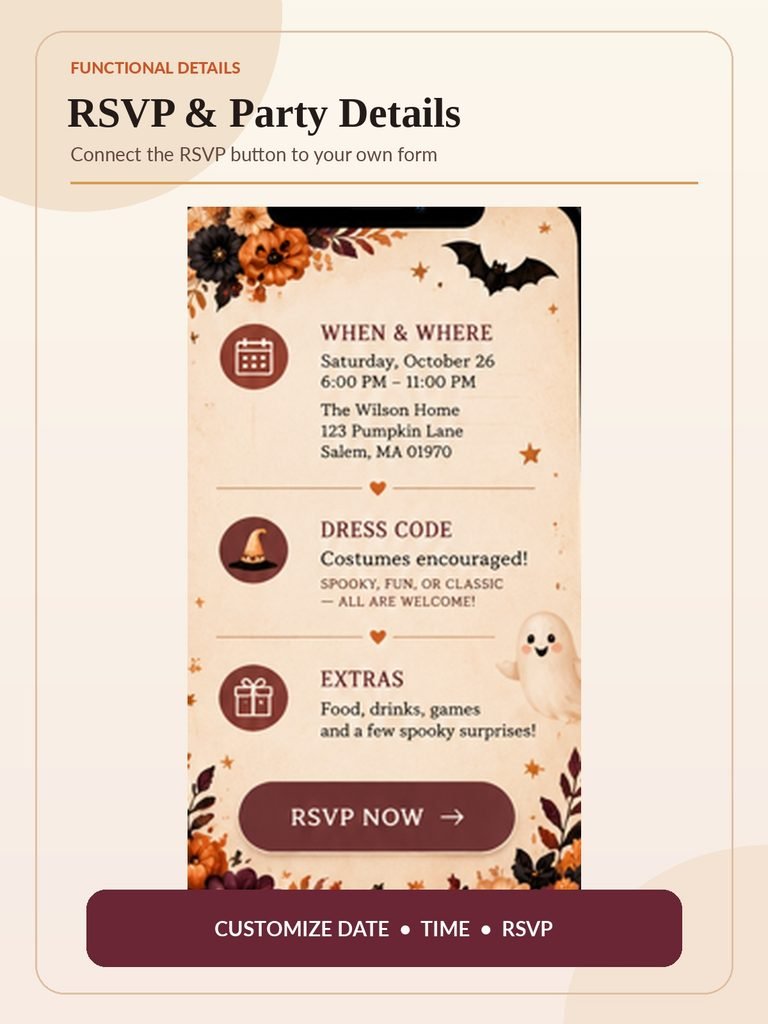
Simply replace the RSVP button’s link inside Canva with your own form URL.
Please note: You will need to create and connect your own RSVP form. The template does not automatically collect guest responses.
What’s Included in Your $5.99 Purchase?
Your purchase includes access to the editable Halloween invitation and a PDF guide explaining how to customize and share it.
You’ll receive:
- An editable Halloween Canva website invitation template
- An interactive envelope-opening design
- Festive Halloween artwork and decorations
- Customizable event information
- An RSVP button with an editable link
- A downloadable PDF with your template access link
- Step-by-step instructions for personalization and publishing
This is a digital product, so nothing will be shipped to your home.
Once your order is complete and the download is available, you can access the PDF guide and begin personalizing your invitation.
SHOP THE INTERACTIVE HALLOWEEN INVITATION – ONLY $5.99
How to Customize Your Halloween Invitation in Canva
You don’t need professional graphic design experience to personalize your Halloween invitation.
Follow these simple steps.
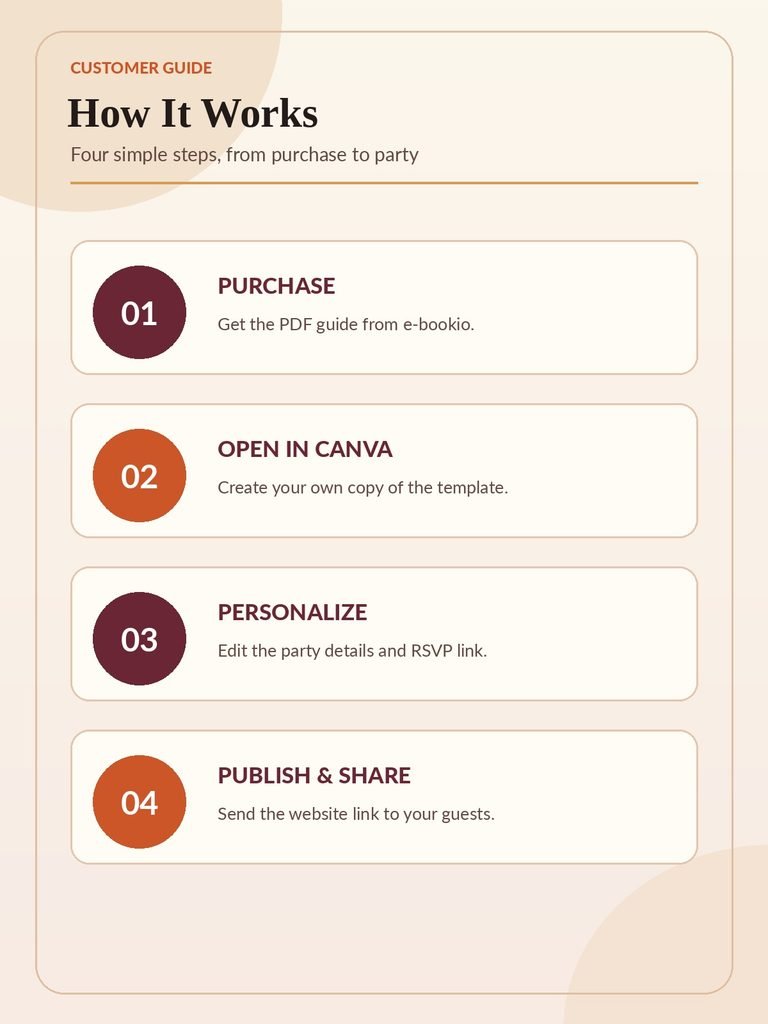
Step 1: Purchase and Download Your Template
Purchase the Halloween Interactive Invitation for $5.99.
Download the PDF access guide included with your order.
Inside the PDF, you’ll find a link to your editable Canva template.
Step 2: Open Your Template in Canva
Click the Canva template link provided in your PDF.
Sign in to your Canva account and select the option to use the template.
Canva will open your own copy, allowing you to make changes without altering the original design.
Step 3: Personalize Your Party Information
Replace the sample event details with your own.
Update the date, time, location, and any other editable information.
You can also add your own text or adjust editable design elements to suit your celebration.
Some decorative artwork may be part of the background image rather than individually editable elements.
Step 4: Connect Your RSVP Button
Want your guests to confirm their attendance?
Create a simple RSVP form using a form service of your choice.
Then open the invitation in Canva, select the RSVP button, and replace the sample destination with your personal RSVP link.
This way, your guests can respond directly to you.
Step 5: Preview Your Invitation on Mobile
Before sharing your invitation, check how it looks on a smartphone.
Review the text, animation, and interactive buttons.
Make sure your event details are easy to read and every link works correctly.
Step 6: Publish and Share
When everything looks perfect, use Canva’s website publishing option to create a shareable invitation link.
You can send the published link through:
- Text messages
- Private messages
- Your event’s online group
Guests can then open your Halloween invitation directly in their browser.
Why Choose a Digital Halloween Party Invitation?
Digital invitations are a convenient alternative to traditional printed cards.
No Printing Required
You don’t need to buy paper, envelopes, or postage stamps.
Your invitation can be shared online once you’ve finished personalizing and publishing it.
Easy to Share With Guests
Whether your guests live nearby or in another city, you can send them the invitation link in seconds.
A More Memorable Experience
An animated envelope and interactive RSVP button create an experience that’s different from simply sending a picture of an invitation.
A Design You Can Personalize
Your celebration deserves details that reflect your event.
An editable Canva invitation gives you the freedom to adjust the important information without designing everything from scratch.
Perfect for Different Halloween Celebrations
This Halloween invitation works beautifully for a variety of events.
Halloween Costume Parties: Invite guests to dress up, celebrate, and show off their costumes.
Friends & Family Gatherings: Create a welcoming invitation for a cozy evening of food, games, and Halloween fun.
Neighborhood Halloween Parties: Share event details with your neighbors and collect attendance confirmations.
Halloween Dinner Parties: Use the elegant autumn artwork for an intimate seasonal celebration.
Spooky-Cute Celebrations: The friendly ghosts, smiling pumpkins, and floral details create a playful atmosphere without making the design overly scary.
Frequently Asked Questions
Is this a physical Halloween invitation?
No. This is a digital Canva template delivered through a downloadable PDF access guide. No physical product will be shipped.
Can I customize the date, time, and location?
Yes. You can personalize the event details in Canva using editable text fields. Decorative background artwork may not be individually editable.
Do I need a Canva account?
Yes. You’ll need a Canva account to access and personalize the template. Canva features and publishing options may depend on your account.
Can guests confirm their attendance?
Yes! You can connect the RSVP button to your own online form so your guests can submit their responses.
Can I share the invitation on WhatsApp?
Yes. After publishing your finished invitation as a website, you can share its URL through WhatsApp, email, or text message.
Can I resell the editable template?
No. Your purchase is intended for personal event use. The template and its access link must not be resold or redistributed.
Make Your Halloween Celebration Unforgettable!
Halloween is all about creating fun memories, bringing people together, and celebrating the season.
Why not make the invitation part of that experience?
With our Editable Halloween Interactive Invitation Template, you can create a beautiful digital Halloween invitation featuring charming seasonal decorations, an interactive opening experience, and a convenient RSVP button.
Personalize your details, publish your invitation, and share the excitement with your guests.
Ready to invite everyone to your spooky celebration?
See the Halloween Invitation in Action!
Watch the animated envelope opening and explore the interactive invitation.